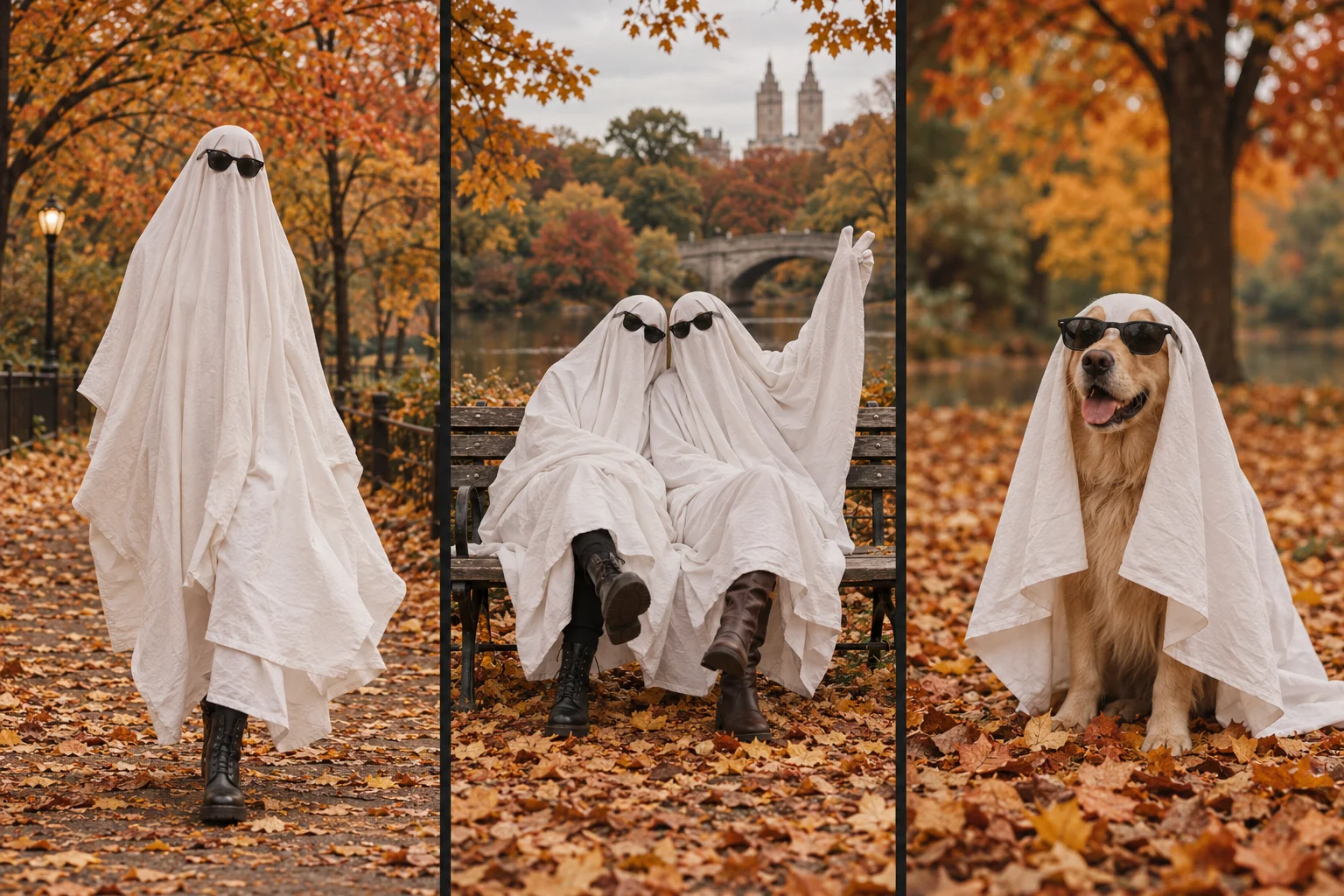
A pet or best-friend ghost photoshoot works when each subject has a readable silhouette. For AI, start with one photograph containing everyone you want in the result. For pets, photograph the animal normally and add the white-sheet look digitally. Do not physically cover a pet's head, eyes or breathing passages for the picture.
Pet photos: make the original easy, not elaborate
Pet mode is designed for a dog or cat. Use a relaxed photo in a familiar place. Photograph from the animal's eye level with the full body and paws visible. A plain or contrasting background helps separate fur from the surroundings. Do not restrain an animal to force a pose or put sunglasses on it for this workflow; the ghost styling is requested digitally.
A sitting pose can work when the whole body is visible. A close-up of the face does not tell the model much about the legs, and a curled-up pose can make the body outline ambiguous. If the pet walks away, use an existing photograph rather than prolonging the session.
Before upload, check for a readable address on a collar tag or personal details in the background. Review the privacy policy: media links can be accessible to someone who obtains the URL, and external AI providers process the image.
Friends photos: spacing matters more than matching outfits
Choose a photo with two or a few consenting adults already together. Everyone should know the photo will be used for an AI transformation and agree to the intended sharing. Avoid selecting a photo of someone who has not consented just because their face may be hidden by the ghost treatment.
Leave space between bodies, show full legs and avoid one person standing directly behind another. Give each person a slightly different stance. A crowded frame, crossed arms over another subject or several nearly identical silhouettes can make it harder to tell whether the result preserved the group correctly.
The workspace accepts one image. It does not combine separately uploaded portraits into a group. Use an actual group photograph rather than a collage with inconsistent scale or lighting.
Match the source to the idea
| Source | A useful starting composition | What to inspect afterward |
|---|---|---|
| One pet | Eye-level full-body portrait | Paws, tail and whether the animal remains one subject |
| Two friends | Full-length bodies separated by a small gap | Each person's outline and stable subject count |
| Small group | Similar distance from the camera, no overlap | Missing people, merged sheets or changing height |
| Person and pet | Both complete bodies in the frame | Whether the model confuses the pet with a prop |
These suggestions improve your ability to evaluate the result. They are not tested success-rate claims, and a more complicated input can still fail even when the source is sharp.
What this generator requests
Ghost Photoshoot AI Generator requests a 9-second, silent, vertical 9:16 clip with a white-sheet ghost treatment and dark sunglasses. Choose the scene option that matches your input and review the charge before submitting. The requested resolutions are 480p and 720p.
The model may change coat markings, body proportions, background objects or the number of subjects. An AI costume does not guarantee that the original person or animal remains recognizable. Do not use the result as documentary footage or proof that the photographed subjects actually wore a costume.
A short review before everyone shares
Watch the full video once at normal speed, then pause around movement. Count the subjects at the beginning and end. Look for extra paws, disappearing glasses and one sheet merging into another. Ask the pictured friends to review the finished version before posting it publicly.
A completed generation is not automatically refunded because you prefer another expression or pose. A new attempt uses credits; a task marked failed returns the generation charge as credits. Pricing explains the available packs, and the workflow guide explains budgeting and downloads.
Pet and best-friend caption ideas
Keep captions clear about the edit. Examples you can adapt: “Our autumn portrait, ghost edition — AI edit,” “Same group chat, different sheets,” or “No costume needed: a digital ghost portrait of our dog.” Add a platform AI label when its rules require one.
For more settings and poses, use the ghost photoshoot ideas guide. For problems with a specific task, include its ID in a support ticket instead of uploading private photos again.